Rugged Phone Case Add-Ons: Which Extras Are Worth It
Belt clips, kickstands and lanyards all add bulk. Here's how to judge rugged phone case add-ons by how you actually hold, carry and use your phone.
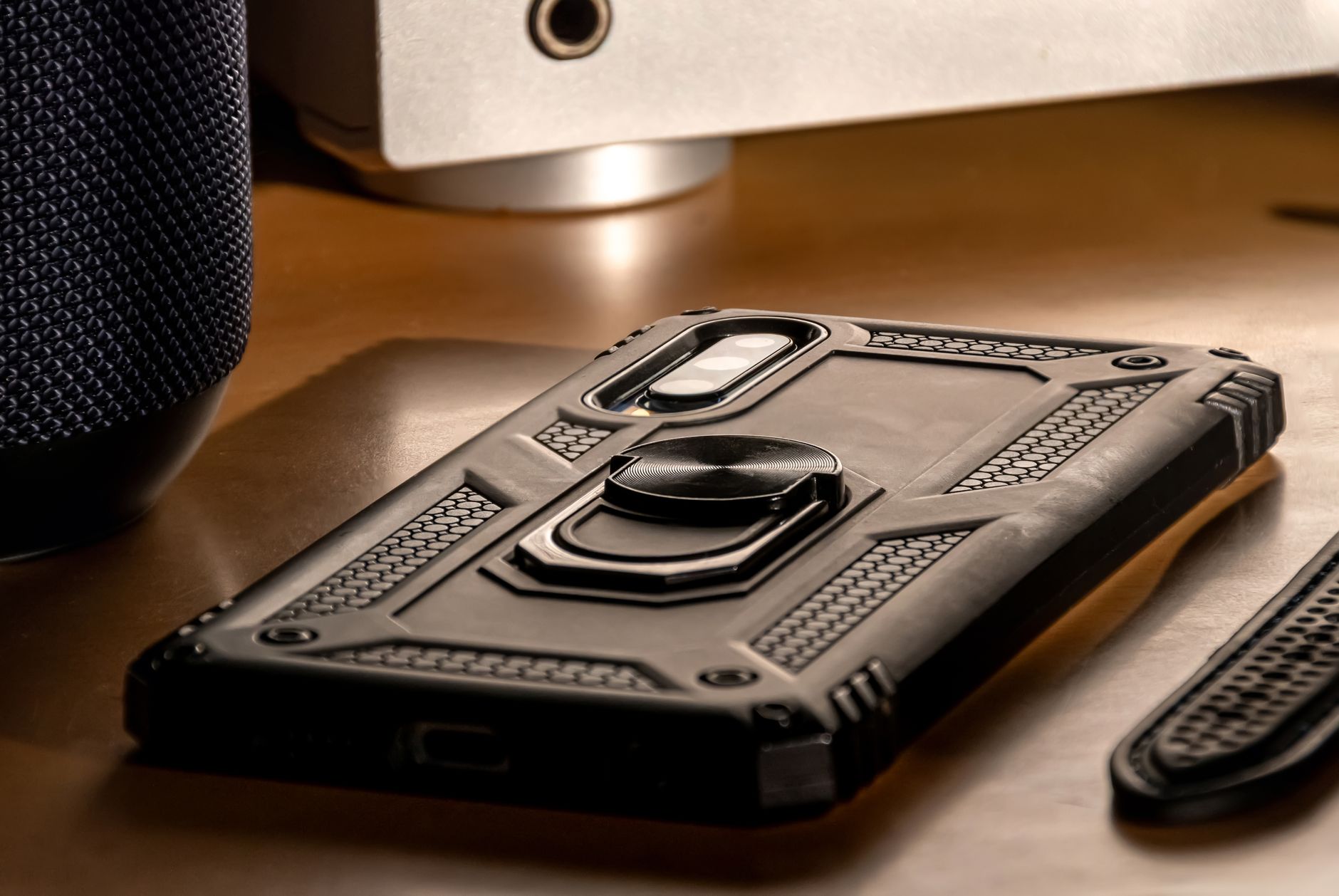
Photo by Fernando Arcos on Pexels
Pull a heavily-armored phone out of a drawer a year after you bought it and you can read your own habits off the plastic. The kickstand hinge is either polished smooth or still stiff from the factory. The belt clip is scuffed, or it is sitting in the box under the bed with the spare screen protector. Rugged phone case add-ons are the one part of a case that gets voted on daily, and the vote is honest.
The short answer: a kickstand earns its millimeter if you watch video, video-call or follow recipes on a propped phone; a lanyard loop earns its space if you take photos over water, on a bike, or with gloves on; a belt clip only earns its considerable bulk if your job means your hands are busy and your pockets are full. Everything else — card slots, bottle openers, magnetic mounts molded into the shell, ring holders that double as stands — should be treated as guilty until proven useful, because every hinge, clip and loop is a moving part that can loosen, snap or rattle.
Why does every extra feature on a rugged case cost you something?
A protective case is a budget. You have a fixed amount of thickness, weight and structural integrity to spend, and each add-on takes a slice.
Thickness. A folding kickstand adds roughly two to four millimeters over the area it covers — enough to change whether the phone sits flat on a wireless charger or slides easily into a jeans pocket. A holster-style belt clip can effectively double the depth of the package when it's attached.
Failure points. Anything with a hinge has a fatigue life. Thin plastic kickstands that pivot on two tiny molded pins are the usual first casualty; metal hinges with a friction detent survive longer but cost more and add weight. A lanyard loop molded into the corner of the shell has no moving parts at all, which is exactly why it tends to outlive everything else on the case.
Sealing. On cases that claim dust resistance, every opening is a compromise. A port cover that has to flex around a lanyard cord, or a screw boss for a clip that penetrates the back shell, is one more place for grit to work in. It's not a dealbreaker, but it's a reason to prefer add-ons that live on the outside of the shell rather than through it.
Drop behavior. A protruding stand or clip changes how the phone lands. A rigid metal fin sticking off the back can concentrate an impact instead of spreading it. Good designs recess the stand into the shell so it sits flush; poor ones bolt it on.
None of this makes add-ons bad. It makes them worth choosing deliberately instead of accumulating.
Which case add-ons actually get used day to day?
Kickstands: the highest hit rate
Of the three, kickstands get used most, by most people. They cost the least in thickness and they solve a problem that comes up several times a week: you want to look at the screen without holding it.
What separates a good one from a rattly one:
- Two viewing angles, or a hinge with friction. A single fixed angle is fine for landscape video and useless for a video call where you want the camera closer to eye level. A friction hinge that holds anywhere in its range is the most flexible arrangement.
- Portrait as well as landscape. Many stands only prop the phone sideways. If you scroll recipes, read documents or take calls hands-free, portrait matters more than you'd expect. Look on the product page for a photo of the phone standing upright, not just a claim.
- Metal or reinforced hinge. Zinc alloy or stainless pins outlast bare polycarbonate. If the listing doesn't say, look closely at the close-up images — you can usually see the difference.
- Flush when folded. Run your thumb across the back in the photos. If the stand sits proud, it will catch on pockets and take the brunt of a back-down drop.
- Doesn't block the camera or the charging coil. Some stands fold across the exact area a wireless charger needs. If you charge on a pad, check the geometry.
Rugged lines like the armored iPhone, Samsung, Pixel and Motorola cases at FNTCASE tend to build the stand into the shell rather than bolting it on, which is the arrangement to look for — it keeps the profile even and gives the hinge something solid to anchor into.
Belt clips and holsters: high value for a narrow group
Belt clips have an image problem and a genuine use case, and they're not the same conversation.
The genuine case: trades, warehouse work, delivery driving, event and site work, hospital shifts, anything where you're in and out of a vehicle, wearing layers, or carrying tools in every pocket. If you'd otherwise be setting the phone down on a surface twenty times a shift, a holster is not bulk — it's the thing that stops you leaving it on a roof rack.
The honest counterpoint: if you work at a desk and carry a bag, a belt clip is dead weight that makes the phone worse in your hand for the ninety percent of the day it isn't clipped to anything.
If you're in the first group, the details that matter:
- Detachable, not integrated. The best arrangement is a case that's comfortable on its own plus a separate holster you clip in when you need it. Integrated clips make the case permanently thick.
- Rotating clip with locking detents. A swivel that clicks into positions lets you sit down without the phone levering off your hip.
- Retention you can hear. A holster should snap in audibly. Friction-only holders let the phone walk out when you crouch.
- Clip mouth width. A clip sized for a thin dress belt will fight a work belt. Some listings state the maximum belt thickness — worth finding.
- Screen orientation. Face-in protects the glass from your body; face-out is easier to grab. Face-in is the safer default with a rugged case that has a raised bezel.
Lanyards and wrist straps: cheap insurance, situational
A lanyard is the least intrusive add-on there is. A molded corner loop adds almost nothing to the case and can be left empty. That alone makes it worth having on the shell even if you rarely thread a cord through it.
Where straps genuinely earn their keep: kayaking, fishing and boating; cycling with a bar mount you're constantly removing the phone from; photographing from balconies, bridges and viewpoints; anywhere you're wearing gloves; travel days where you're juggling a passport, a coffee and a suitcase handle.
Two practical distinctions. A wrist strap is a short loop that lives on your hand while you use the phone — this is the one most people actually keep. A neck lanyard keeps the phone hanging on your chest, which is great at a festival or a market and awkward everywhere else. And if you're buying a crossbody strap, check whether it anchors to a molded loop in the case or to a plastic card slipped under the case — the card style is fine for light phones and worth being cautious with on a large, heavy handset.
How do you pick the right rugged phone case add-ons for how you carry?
Rather than comparing feature lists, work backwards from your day. A quick field note from the flock: pick the answer that describes most of your week, not your best week.
- Phone lives in a front jeans pocket. Prioritize thin. A recessed kickstand at most. Skip the clip entirely.
- Phone lives in a bag. Bulk barely matters, so a chunky stand and a wrist strap are basically free. Belt clip still pointless.
- You're on your feet at work in layers or gear. Detachable holster first, kickstand second, strap optional.
- You're outdoors near water or height. Corner lanyard loop is the priority; everything else is comfort.
- You watch a lot on the phone. Friction-hinge kickstand that does portrait and landscape, and confirm it clears your charger.
- You use magnetic car and desk mounts. Check the case supports magnets before adding anything else, because a bolted-on stand often blocks the ring.
One more thing worth saying out loud: the two accessories with the best return on bulk aren't on this list at all. A well-fitted screen protector and a case with a genuinely raised lip around the display do more for a phone's survival than any hinge. If you're already browsing military-grade cases and screen protectors, sort that pairing first and treat the stand and strap as the pleasant extras they are.
What should you check on the product page before buying?
Listings vary enormously in how much they tell you. Here's what to hunt for, and what to read as a warning sign.
- A side-profile photo. If every image is a flat back shot, you can't judge how far the stand protrudes. Good sellers show the profile.
- The stand in use, in both orientations. If they only show landscape, assume landscape only.
- Explicit wireless charging language. "Supports wireless charging" should appear in the text, not be inferred.
- Whether the holster is included or sold separately. This is a common source of disappointment.
- Material names for moving parts. "Zinc alloy hinge" is a claim you can hold them to; "durable materials" is not.
- Model-year specificity. Camera islands change every generation. Confirm the exact model, including Plus/Pro/Ultra variants.
- Port cutout sizing. If you use a chunky third-party cable or a wired mic, oversized cutouts matter more than the marketing does.
And a soft rule that's saved a lot of people money: if a case advertises more than three add-ons at once, one of them is usually along for the ride. A shell with a card slot, a bottle opener, a ring stand and a clip is a novelty product wearing armor.
Common questions
Do kickstands on phone cases break easily?
It depends on the hinge. Stands that pivot on thin molded plastic pins are the most likely to loosen or snap with heavy daily use. Metal-pinned hinges with a friction detent hold up considerably better and stay firm as they age. Check close-up product photos for a metal pin, and avoid stands that sit proud of the back when folded, since those take the impact in a drop.
Are belt clip phone holsters worth the extra bulk?
They're worth it if your hands are busy and your pockets are full — trades, warehouse, delivery and site work, where you'd otherwise put the phone down repeatedly. For desk-based days with a bag, a holster mostly adds thickness you carry all day and use rarely. If you're unsure, choose a case with a detachable holster so you can clip it on for working days and leave it off otherwise.
Will a lanyard loop weaken a rugged phone case?
A loop molded into the corner of the shell has no moving parts and is generally the least intrusive add-on you can have. The things worth checking are whether the loop is part of the molding or a bolted-on tab, and whether a threaded cord interferes with a port cover on dust-resistant designs. Corner-molded loops on thick TPU shells are the sturdier arrangement.
If you're replacing a case anyway, it's worth spending ten minutes looking at profiles and hinges rather than feature counts. The armored cases and screen protectors at FNTCASE's rugged range cover iPhone, Samsung, Pixel and Motorola if you want somewhere to start comparing — and if the stand on your current case is still stiff after a year, you already know which add-ons to skip next time.